Metadata
| Feature id | docx/table-style-builtin--medium-list-1 |
|---|---|
| Format | docx |
| Category | tables |
| Family | docx/table-style-builtin |
| Axis values | style=medium-list-1 |
| Spec | ecma-376-5-part-1 § 17.7 w:tblStyle |
XPath assertions
| ID / part | Predicate | XPath | python-docx | docxjs |
|---|---|---|---|---|
tblstyle-element-present-medium-list-1word/document.xml | existThe sample table must carry a <w:tblStyle> inside its <w:tblPr>. | //w:tbl/w:tblPr/w:tblStyle | — | — |
tblstyle-is-medium-list-1word/document.xml | equal = MediumList1The tblStyle value must equal the built-in table style identifier 'MediumList1' (display name: 'Medium List 1'). | //w:tbl/w:tblPr/w:tblStyle/@w:val | — | — |
Render assertions
| ID | Predicate | Selector | python-docx | docxjs |
|---|---|---|---|---|
visual-matches-libreoffice-render | visual_ssimPlaywright screenshot of the rendered output must score >=85% SSIM against the LibreOffice-rendered reference PNG. | — | — |
Generator source
scripts/gen_table_style_builtin.py
#!/usr/bin/env python3
"""Generate ``fixtures/docx/table-style-builtin--<style-id>.docx`` fixtures.

Parameterised generator driven by
``features/docx/table-style-builtin.json``. For each built-in Word
table-type style, produce a 2x2 table whose ``w:tblPr`` carries
``<w:tblStyle w:val="<StyleId>"/>``.

The generator accepts the camel/pascal-case *style_id* (what appears
in ``styles.xml`` and in Word's XML, e.g. ``LightShading``,
``MediumShading1``, ``LightShading-Accent1``) and looks the style up
via its *display name* because python-docx's ``doc.styles[...]``
lookup by style_id raises a ``DeprecationWarning`` in modern
python-docx.

python-docx's default ``Document()`` template already materialises all
100 built-in table styles (including ``TableNormal``, which is
excluded from the manifest because no explicit ``<w:tblStyle>`` is
emitted for it). No latent-style materialisation is required.
"""

from __future__ import annotations

import argparse
from pathlib import Path

from docx import Document

_REPO_ROOT = Path(__file__).resolve().parent.parent


def _write(style_id: str, out: Path) -> None:
    doc = Document()
    # Resolve style_id -> display name once, because `doc.styles[style_id]`
    # triggers a DeprecationWarning in modern python-docx — the supported
    # key is the display name.
    display_name = None
    for style in doc.styles:
        if getattr(style, "style_id", None) == style_id:
            display_name = style.name
            break
    if display_name is None:
        raise SystemExit(
            f"Built-in table style {style_id!r} not found in the default template"
        )

    table = doc.add_table(rows=2, cols=2)
    table.style = doc.styles[display_name]
    table.rows[0].cells[0].text = "A1"
    table.rows[0].cells[1].text = "B1"
    table.rows[1].cells[0].text = "A2"
    table.rows[1].cells[1].text = "B2"

    out.parent.mkdir(parents=True, exist_ok=True)
    doc.save(out, reproducible=True)


def main() -> int:
    parser = argparse.ArgumentParser()
    parser.add_argument(
        "--style-id",
        required=True,
        help="Built-in table style identifier (e.g. 'LightShading', 'MediumShading1').",
    )
    parser.add_argument("--out", required=True, help="Output .docx path.")
    args = parser.parse_args()

    out_path = Path(args.out)
    if not out_path.is_absolute():
        out_path = _REPO_ROOT / out_path
    _write(args.style_id, out_path)
    print(out_path)
    return 0


if __name__ == "__main__":
    raise SystemExit(main())
Manifest (expanded)
{
  "$schema": "../manifest.schema.json",
  "id": "docx/table-style-builtin--medium-list-1",
  "kind": "literal",
  "title": "Built-in table styles",
  "format": "docx",
  "category": "tables",
  "summary": "Apply each built-in Word table-type style (TableGrid, LightShading, MediumShading1, ColorfulGrid, ...) via <w:tblPr><w:tblStyle w:val=\"<StyleId>\"/></w:tblPr>.",
  "spec": {
    "source": "ecma-376-5-part-1",
    "clause": "17.7",
    "element": "w:tblStyle",
    "rnc_reference": "spec/ecma-376-5/part-1/rnc/WordprocessingML.rnc",
    "xsd_reference": "spec/ecma-376-5/part-1/xsd/wml.xsd",
    "notes": "Built-in table styles ship in Word's default styles.xml and are referenced from a table via <w:tblPr><w:tblStyle w:val=\"<StyleId>\"/></w:tblPr>. Clause 17.7 of ECMA-376 Part 1 covers style definitions in general; 17.4.40 specifies w:tblStyle specifically, and 17.9.21 lists the reserved built-in style identifiers. The style_id is the whitespace-collapsed camel/pascal-case identifier (e.g. 'LightShading', 'MediumShading1', 'LightShading-Accent1') while the display name shown in Word's UI may include spaces and accent numbers ('Light Shading', 'Medium Shading 1', 'Light Shading Accent 1'). python-docx's default document template (via Document()) already materialises all 100 built-in table styles, so no latent-style materialisation is required. This manifest picks a representative subset spanning the major style families (Grid, Light Shading/List/Grid, Medium Shading/List/Grid variants, Dark List, Colorful Shading/List/Grid). The 'TableNormal' default is excluded because python-docx does not emit an explicit <w:tblStyle> for it."
  },
  "fixtures": {
    "machine": "docx/table-style-builtin--medium-list-1"
  },
  "generator": {
    "python": "scripts/gen_table_style_builtin.py",
    "arg_template": "--style-id {style.style_id} --out fixtures/docx/table-style-builtin--{style.id}.docx"
  },
  "_expansion": {
    "parent_id": "docx/table-style-builtin",
    "bindings": {
      "style": "medium-list-1"
    }
  },
  "assertions": [
    {
      "id": "tblstyle-element-present-medium-list-1",
      "part": "word/document.xml",
      "namespaces": {
        "w": "http://schemas.openxmlformats.org/wordprocessingml/2006/main"
      },
      "xpath": "//w:tbl/w:tblPr/w:tblStyle",
      "must": "exist",
      "description": "The sample table must carry a <w:tblStyle> inside its <w:tblPr>."
    },
    {
      "id": "tblstyle-is-medium-list-1",
      "part": "word/document.xml",
      "namespaces": {
        "w": "http://schemas.openxmlformats.org/wordprocessingml/2006/main"
      },
      "xpath": "//w:tbl/w:tblPr/w:tblStyle/@w:val",
      "must": "equal",
      "value": "MediumList1",
      "description": "The tblStyle value must equal the built-in table style identifier 'MediumList1' (display name: 'Medium List 1')."
    }
  ],
  "render_assertions": [
    {
      "id": "visual-matches-libreoffice-render",
      "kind": "visual_ssim",
      "min_ssim": 0.5,
      "description": "Playwright screenshot of the rendered output must score >=85% SSIM against the LibreOffice-rendered reference PNG."
    }
  ]
}
Fixture
Download table-style-builtin--medium-list-1.docx (18.8 KB)Reference preview
Reference (machine, page 1 PNG)
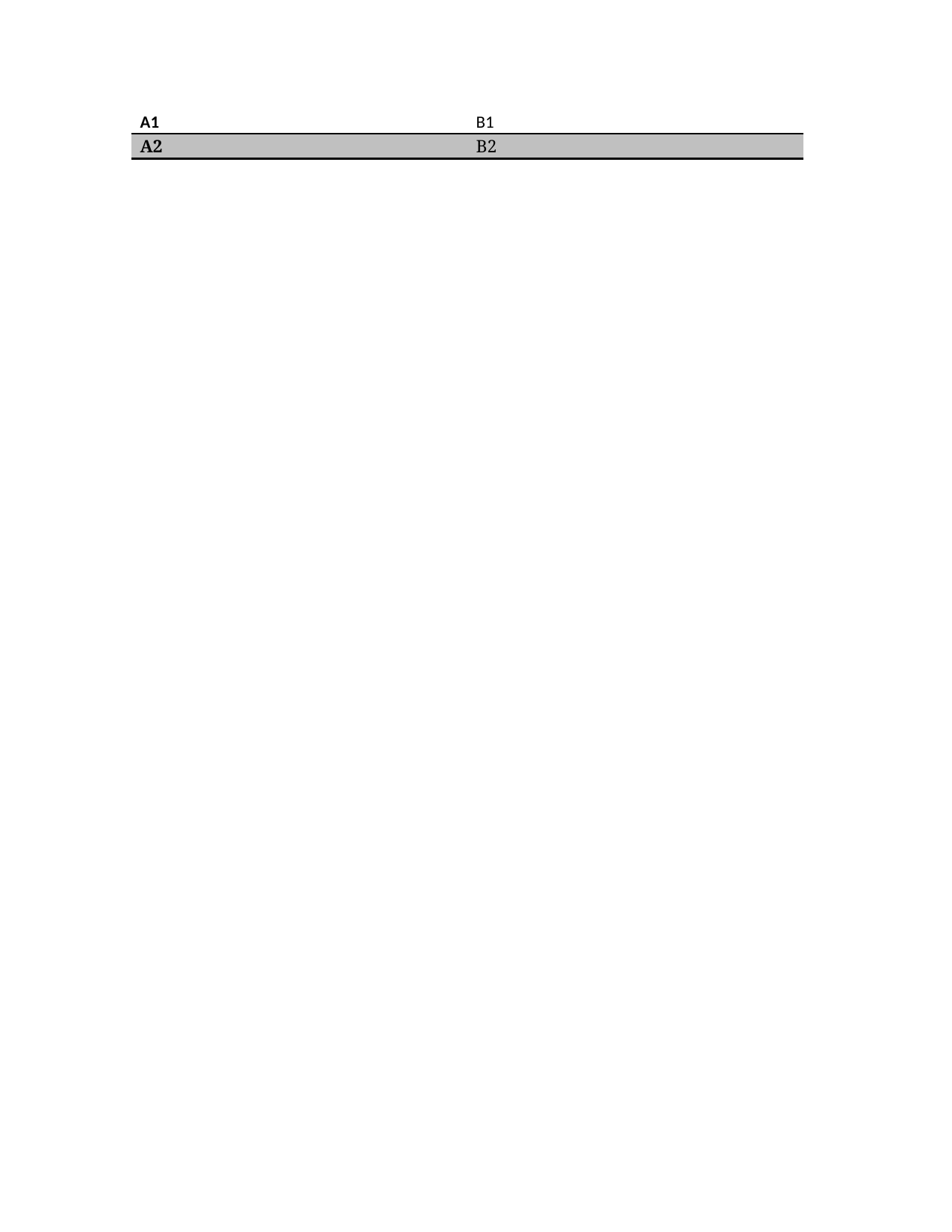
Reference PDF
Download PDF Open in PDF.js
Spec notes
Built-in table styles ship in Word's default styles.xml and are referenced from a table via <w:tblPr><w:tblStyle w:val="<StyleId>"/></w:tblPr>. Clause 17.7 of ECMA-376 Part 1 covers style definitions in general; 17.4.40 specifies w:tblStyle specifically, and 17.9.21 lists the reserved built-in style identifiers. The style_id is the whitespace-collapsed camel/pascal-case identifier (e.g. 'LightShading', 'MediumShading1', 'LightShading-Accent1') while the display name shown in Word's UI may include spaces and accent numbers ('Light Shading', 'Medium Shading 1', 'Light Shading Accent 1'). python-docx's default document template (via Document()) already materialises all 100 built-in table styles, so no latent-style materialisation is required. This manifest picks a representative subset spanning the major style families (Grid, Light Shading/List/Grid, Medium Shading/List/Grid variants, Dark List, Colorful Shading/List/Grid). The 'TableNormal' default is excluded because python-docx does not emit an explicit <w:tblStyle> for it.