Metadata
| Feature id | docx/table-with-header-row |
|---|---|
| Format | docx |
| Category | tables |
| Spec | ecma-376-5-part-1 § 17.4.67 w:tblHeader |
XPath assertions
| ID / part | Predicate | XPath | python-docx | docxjs |
|---|---|---|---|---|
tbl-header-row-trPr-presentword/document.xml | existThe first row of the table must carry a <w:tblHeader/> inside its <w:trPr> element. | //w:tbl/w:tr[1]/w:trPr/w:tblHeader | — | — |
tbl-header-val-not-falseword/document.xml | not-match = ^(0|false|off)$If w:val is present on <w:tblHeader> it must not explicitly disable the header flag. | //w:tbl/w:tr[1]/w:trPr/w:tblHeader/@w:val | — | — |
tbl-header-cell-a-textword/document.xml | existA cell containing the literal text 'Header Col A' must be present in the table. | //w:tbl//w:tc//w:t[normalize-space()='Header Col A'] | — | — |
Render assertions
| ID | Predicate | Selector | python-docx | docxjs |
|---|---|---|---|---|
table-header-row-rendered | css_selector/ match-text = Header Col AA rendered table header element (<thead> row, first-row <th>, or data-header marker) under .docx-wrapper must contain the text 'Header Col A'. | .docx-wrapper table thead tr, .docx-wrapper table tr:first-child th, .docx-wrapper table tr[data-header='true'] | — | fail |
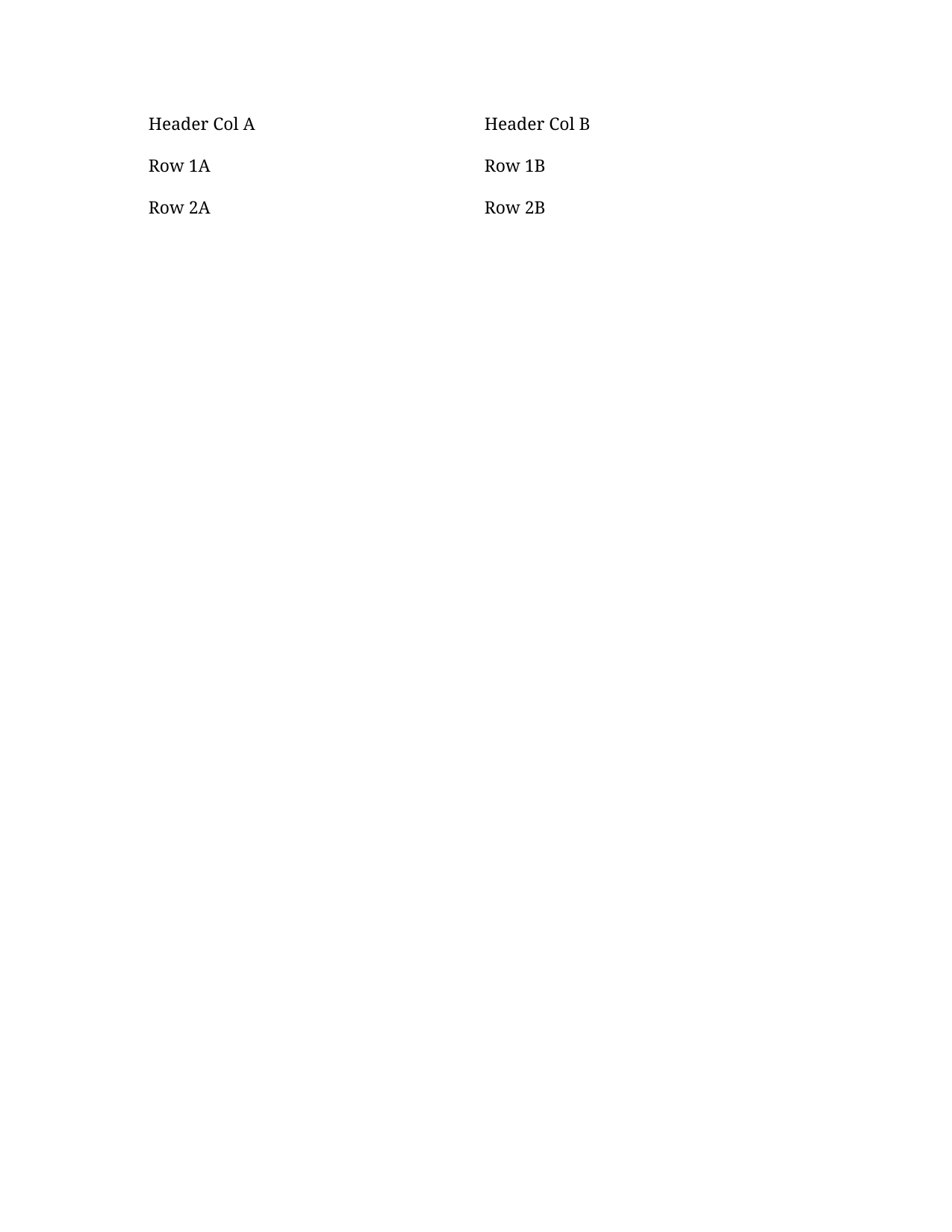
table-row-count | css_selector/ equal-countThe rendered table must have exactly 3 <tr> rows (1 header + 2 data rows). Catches phantom rows and dropped rows. | .docx-wrapper table tr | — | — |
table-header-body-row1-cell1 | css_selector/ match-text = ^Row 1A$The first body row, column 1 must be exactly 'Row 1A'. Catches the header row's text leaking into the first body row. | .docx-wrapper table tr:nth-of-type(2) td:nth-of-type(1) | — | — |
table-header-body-row2-cell2 | css_selector/ match-text = ^Row 2B$The second body row, column 2 must be exactly 'Row 2B'. Catches the header row content bleeding into subsequent rows. | .docx-wrapper table tr:nth-of-type(3) td:nth-of-type(2) | — | — |
table-header-has-a11y-semantic | css_selector/ existAccessibility: the table's header row must surface at least one <th> element, an element with role='columnheader', a scope='col'/'row' attribute, or a <td> inside <thead>. Any of these screen-reader hooks is accepted; a renderer that emits the header row as plain <td>s without any header signal fails this assertion. | .docx-wrapper table th, .docx-wrapper table [role='columnheader'], .docx-wrapper table [scope='col'], .docx-wrapper table [scope='row'], .docx-wrapper table thead td | — | — |
Generator source
scripts/gen_table_with_header_row.py
#!/usr/bin/env python3
"""Generate ``fixtures/docx/table-with-header-row.docx``.

A 3x2 table whose first row is flagged as a repeating table header
(``w:trPr/w:tblHeader``). Satisfies the assertions in
``features/docx/table-with-header-row.json``.

Uses the fork's ``_Row.is_header`` setter (added in python-docx
2026.05.0). On stock python-docx the same effect can be achieved by
manually appending a ``<w:tblHeader/>`` child to ``trPr``.
"""

from __future__ import annotations

from pathlib import Path

from docx import Document

_REPO_ROOT = Path(__file__).resolve().parent.parent
_OUT = _REPO_ROOT / "fixtures" / "docx" / "table-with-header-row.docx"


def main() -> int:
    doc = Document()
    table = doc.add_table(rows=3, cols=2)

    hdr = table.rows[0]
    hdr.cells[0].text = "Header Col A"
    hdr.cells[1].text = "Header Col B"
    # Fork high-level API: mark the first row as a repeating header.
    hdr.is_header = True

    table.rows[1].cells[0].text = "Row 1A"
    table.rows[1].cells[1].text = "Row 1B"
    table.rows[2].cells[0].text = "Row 2A"
    table.rows[2].cells[1].text = "Row 2B"

    _OUT.parent.mkdir(parents=True, exist_ok=True)
    doc.save(_OUT, reproducible=True)
    print(_OUT)
    return 0


if __name__ == "__main__":
    raise SystemExit(main())
Manifest (expanded)
{
  "$schema": "../manifest.schema.json",
  "id": "docx/table-with-header-row",
  "title": "Table with header row (tblHeader)",
  "format": "docx",
  "category": "tables",
  "summary": "A 2-column table whose first row is marked as a repeating header (w:trPr/w:tblHeader).",
  "spec": {
    "source": "ecma-376-5-part-1",
    "clause": "17.4.67",
    "element": "w:tblHeader",
    "rnc_reference": "spec/ecma-376-5/part-1/rnc/WordprocessingML.rnc",
    "xsd_reference": "spec/ecma-376-5/part-1/xsd/wml.xsd",
    "notes": "Setting <w:trPr><w:tblHeader/></w:trPr> on a row marks it as a table-header row that Word repeats at the top of each page the table spans. Empty element implies true; w:val is optional but if present must not be 0/false/off."
  },
  "fixtures": {
    "machine": "docx/table-with-header-row",
    "office": "docx/table-with-header-row"
  },
  "generator": {
    "python": "scripts/gen_table_with_header_row.py"
  },
  "assertions": [
    {
      "id": "tbl-header-row-trPr-present",
      "part": "word/document.xml",
      "namespaces": {
        "w": "http://schemas.openxmlformats.org/wordprocessingml/2006/main"
      },
      "xpath": "//w:tbl/w:tr[1]/w:trPr/w:tblHeader",
      "must": "exist",
      "description": "The first row of the table must carry a <w:tblHeader/> inside its <w:trPr> element."
    },
    {
      "id": "tbl-header-val-not-false",
      "part": "word/document.xml",
      "namespaces": {
        "w": "http://schemas.openxmlformats.org/wordprocessingml/2006/main"
      },
      "xpath": "//w:tbl/w:tr[1]/w:trPr/w:tblHeader/@w:val",
      "must": "not-match",
      "value": "^(0|false|off)$",
      "description": "If w:val is present on <w:tblHeader> it must not explicitly disable the header flag."
    },
    {
      "id": "tbl-header-cell-a-text",
      "part": "word/document.xml",
      "namespaces": {
        "w": "http://schemas.openxmlformats.org/wordprocessingml/2006/main"
      },
      "xpath": "//w:tbl//w:tc//w:t[normalize-space()='Header Col A']",
      "must": "exist",
      "description": "A cell containing the literal text 'Header Col A' must be present in the table."
    }
  ],
  "render_assertions": [
    {
      "id": "table-header-row-rendered",
      "kind": "css_selector",
      "selector": ".docx-wrapper table thead tr, .docx-wrapper table tr:first-child th, .docx-wrapper table tr[data-header='true']",
      "must": "match-text",
      "value": "Header Col A",
      "description": "A rendered table header element (<thead> row, first-row <th>, or data-header marker) under .docx-wrapper must contain the text 'Header Col A'."
    },
    {
      "id": "table-row-count",
      "kind": "css_selector",
      "selector": ".docx-wrapper table tr",
      "must": "equal-count",
      "count": 3,
      "description": "The rendered table must have exactly 3 <tr> rows (1 header + 2 data rows). Catches phantom rows and dropped rows."
    },
    {
      "id": "table-header-body-row1-cell1",
      "kind": "css_selector",
      "selector": ".docx-wrapper table tr:nth-of-type(2) td:nth-of-type(1)",
      "must": "match-text",
      "value": "^Row 1A$",
      "description": "The first body row, column 1 must be exactly 'Row 1A'. Catches the header row's text leaking into the first body row."
    },
    {
      "id": "table-header-body-row2-cell2",
      "kind": "css_selector",
      "selector": ".docx-wrapper table tr:nth-of-type(3) td:nth-of-type(2)",
      "must": "match-text",
      "value": "^Row 2B$",
      "description": "The second body row, column 2 must be exactly 'Row 2B'. Catches the header row content bleeding into subsequent rows."
    },
    {
      "id": "table-header-has-a11y-semantic",
      "kind": "css_selector",
      "selector": ".docx-wrapper table th, .docx-wrapper table [role='columnheader'], .docx-wrapper table [scope='col'], .docx-wrapper table [scope='row'], .docx-wrapper table thead td",
      "must": "exist",
      "description": "Accessibility: the table's header row must surface at least one <th> element, an element with role='columnheader', a scope='col'/'row' attribute, or a <td> inside <thead>. Any of these screen-reader hooks is accepted; a renderer that emits the header row as plain <td>s without any header signal fails this assertion."
    }
  ]
}
Fixture
Download table-with-header-row.docx (18.8 KB)Reference preview
Reference (machine, page 1 PNG)
Reference PDF
Download PDF Open in PDF.js
Spec notes
Setting <w:trPr><w:tblHeader/></w:trPr> on a row marks it as a table-header row that Word repeats at the top of each page the table spans. Empty element implies true; w:val is optional but if present must not be 0/false/off.